Betamax Cover Generator
Design and print Betamax slipcovers

Betamax Slipcover Generator
Quickly create custom Betamax slipcases to finish off your collection. This slipcover generator automatically pulls movie posters, logos, and metadata to help you design custom sleeve artwork for your Betamax projects.
How to make Betamax Slipcovers using the designer
- Use the Search box above to find your movie or TV show
- Open Color Controls to set the colors and pick a logo in the Logos tab
- When you’re ready to print your slipcover, click Export and pick Letter (A4 outside the US) to export a PDF (recommended) or PNG. Send it to your print shop, cut it out, assemble it, and slide in your Betamax cassette. Make sure to print at 100% scale.

How to print & cut Betamax Slipcovers
- Because of the thick paper required, you’ll likely need to use a local print shop, even though it fits on a Letter/A4 paper
- Make sure you print at actual size (100%), not scaled
- I recommend 300gsm card stock (sometimes called 14pt or 100lb cover). You can also laminate thinner stock by spray-mounting it to a second sheet
- Use the Export button above and pick Letter or A4. If you’d rather lay it out yourself, there are Betamax templates in Photopea for Letter (8.5 in. x 11 in.) or international A4 (297mm x 210mm)
- Cut along the darker lines and fold along the lighter lines
- Use glue or double-sided tape to secure the flaps, then slide the slipcover over your Betamax case

What is a Betamax Slipcover?
A Betamax slipcover, sometimes called a slipcase, is a protective sleeve that fits around a Betamax cassette case. It adds durability and provides space for custom artwork. These were often used for special releases and collector editions, making them a great format for personalized designs that stand out on the shelf.

Betamax Slipcover Template Features
The Betamax Slipcover Maker includes everything you need to create authentic-looking custom slipcases:
- Decals & Stickers – Use the Decals tab to add stickers, price tags, and labels to give your slipcover an authentic feel
- Content Ratings – You can also use the "Decals" tab to add custom ratings including MPAA (US), BBFC (UK), FSK (Germany), OFLC (Australia), and more
- Worn Betamax Textures & Overlays – Use the Overlay tab to make your case look more worn
- Cover Options – Pick a poster in the Cover Art tab or upload your own custom artwork
- Production Logos – Pull studio logos into the Studio tab for you, or upload your own
- Color Customization – Open Color Controls to adjust background colors and tints to match your aesthetic

Why did you make this?
Because Betamax was the superior format? No, I started this project because I was gifted a VHS/TV combo, which quickly led me down the path of customizing physical media at home and suddenly I needed to make a lot of labels. I looked for a tool that could automatically pull logos, runtimes, directors, and cast information, but couldn’t find one that worked the way I wanted. So I built it.
As I showed this website around, people began requesting new modes and that's how we ended up with this Betamax Cover maker.
Bonus: Free Betamax slipcover template (PDF)
Here is a blank Betamax slipcover template if you don't want to use the design tool above, or just want a template to edit in Photoshop, Illustrator, GIMP, etc. You can also use it to test your printer without wasting a lot of color toner or ink.
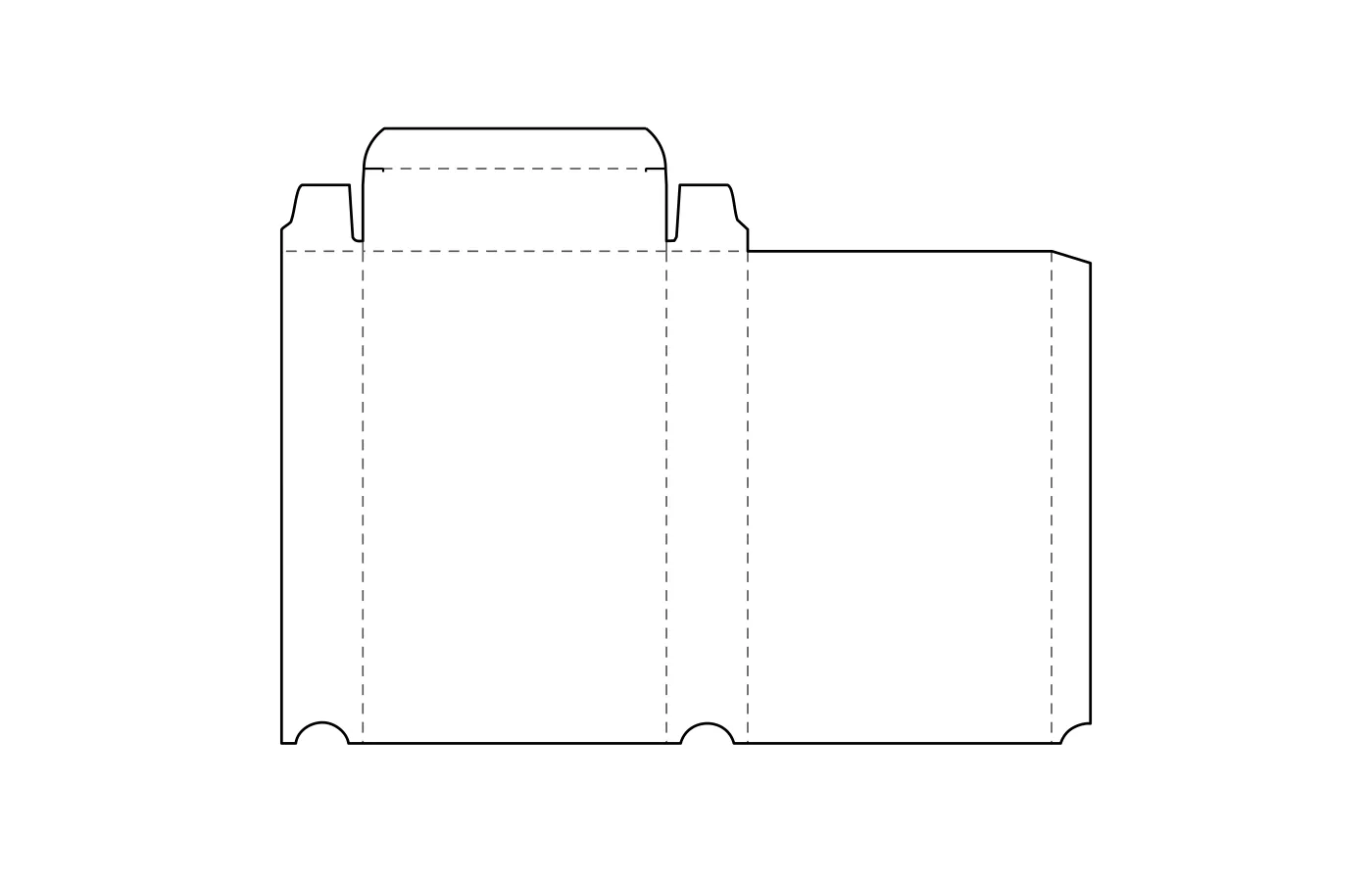
Print at 100% (actual size), never "fit to page". Printing guide


