Side-Load VHS Slipcovers
Design printable side-load VHS boxes

Side-Loading VHS Slipcover Maker
Quickly make custom side-loading VHS slipcases to complete your collection. This generator automatically pulls movie posters, logos, and metadata to help you design authentic-looking side-loading VHS sleeves for your custom tape projects.
Unlike top-loading slipcovers, these side-loading VHS cases open from the side like many rental-era and retail releases.
How to make Side-Loading VHS Slipcovers
- Use the Search box above to find your movie or TV show
- Set colors in Color Controls and a logo in Logos
- When you're ready to print, hit Export and pick Tabloid or A3 to export a PDF (recommended) or PNG. There’s no Letter size for this one. Make sure to print at 100% scale.
- Print, cut, fold, glue, and slide your VHS tape into the finished sleeve from the side opening

How to print & assemble Side-Loading VHS Slipcovers
Printing these side-loading VHS slipcovers usually requires Tabloid (11x17") or A3 paper. Export the Tabloid or A3 PDF and take that to the shop.
- Since the paper size is larger than standard home printers support, you’ll usually want to visit a local print shop.
- Make sure they print at actual size (100%) and not scaled to fit.
- I recommend 300gsm cardstock (sometimes called 12pt or 100lb cover). You can also use thinner stock and spray-mount it to another sheet for added thickness.
- If you’d rather lay it out yourself, there are Photopea templates for Tabloid (11 in. x 17 in.) or for international users A3 (420mm x 297mm)
- Cut along the darker lines and fold along the lighter lines.
- Use glue or double-sided tape on the side flaps and assemble the sleeve around your VHS case.

What is a Side-Loading VHS Slipcover?
A side-loading VHS slipcover is a cardboard sleeve where the tape slides in horizontally through one side of the case instead of through the top or bottom.
These styles became especially common for rental releases, screener copies, bootlegs, and later retail-era VHS packaging. The side-loading format gives the case a more book-like feel on a shelf and often allows for larger uninterrupted spine artwork.
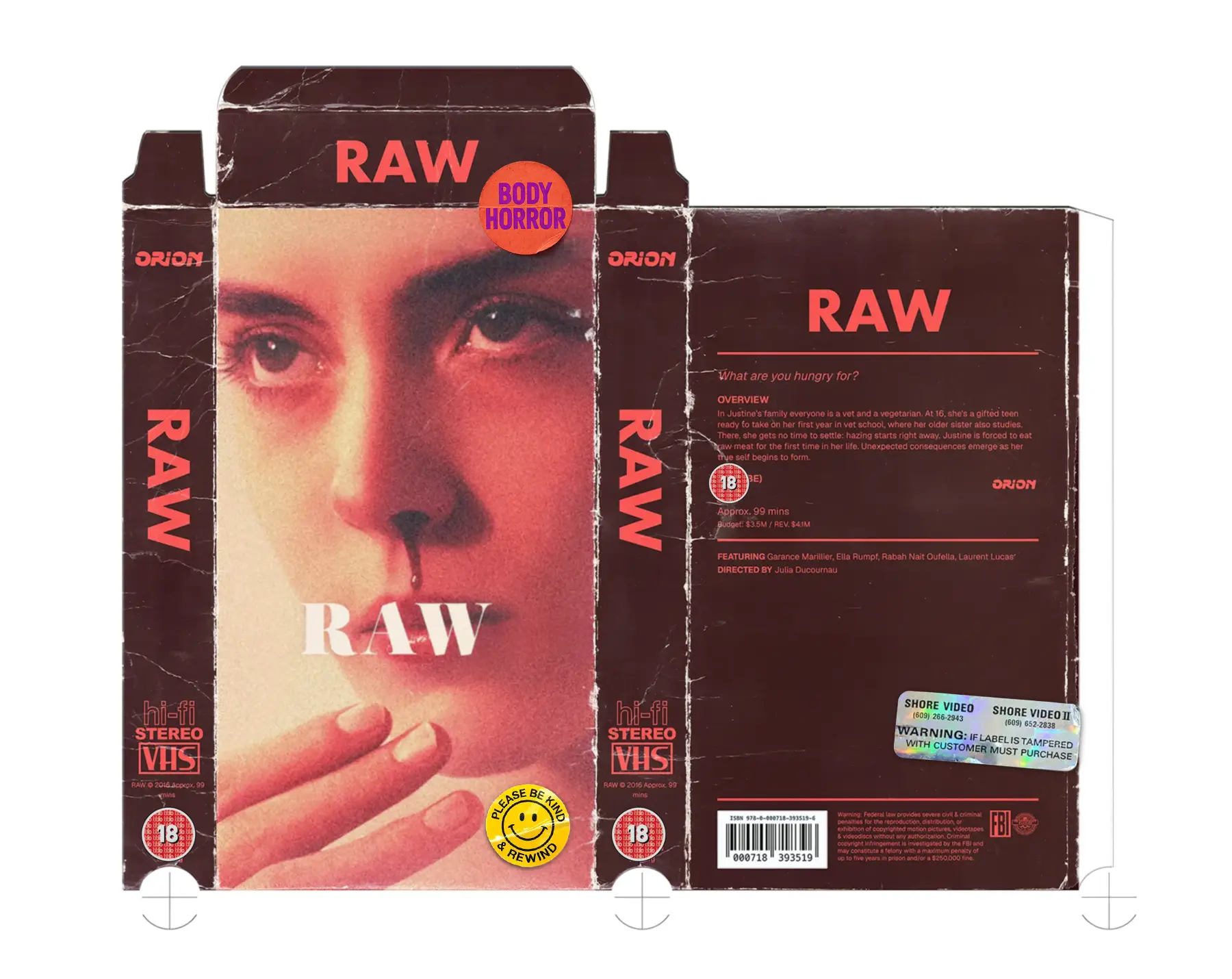
Full flap side-loading boxes
Many retail side-loading boxes were sealed on the open side too: a wall and a tuck-in flap closed the sleeve, and you pulled the flap out to get at the tape. Video store clerks tore that flap off so tapes came out faster, so most ex-rental boxes are missing it and collectors call an intact one a "full flap" box. To replace one, open the Layout panel and switch Full Flap on. The sheet gains the closing wall, its tabs and the tuck flap, and the 3D preview closes up. It still fits Tabloid or A3 paper.
Side-Loading VHS Slipcover Features
The Side-Loading VHS Slipcover Maker includes tools for creating authentic-looking custom sleeves:
- Decals & Stickers — Open the Decals tab to add rental store labels, barcode stickers, pricing decals, "Be Kind Rewind" warnings, and nostalgic tape markings
- Worldwide Ratings Systems — Add MPAA (US), BBFC (UK), FSK (Germany), OFLC (Australia), and other regional rating logos
- Vintage VHS Wear Effects — Use the Overlay tab to add shelf wear, faded corners, crease textures, and aging overlays for an authentic rental-store appearance
- Poster & Artwork Selection — Browse TMDB movie posters in the Cover Art tab or upload your own custom artwork
- Production & Studio Logos — Pull logos automatically in the Studio tab or upload your own branding and marks
- Color & Layout Controls — Use Color Controls for colors and tints, plus overlays and spine styling
- Print-Ready Exports — Export high-resolution PDFs sized for Tabloid (11x17") or A3 printing
Why side-loading VHS sleeves?
Side-loading sleeves have a very distinct look that feels especially tied to video rental stores and collector culture. They’re sturdy, satisfying to hold, and look incredible lined up on a shelf.
A lot of collectors also prefer them because the larger uninterrupted spine area gives more room for bold typography and artwork.
They feel less like packaging and more like archival storage.
Why did you make this?
After building the original VHS label and slipcover tools, people started asking for more specific packaging styles — including side-loading sleeves inspired by rental stores, screener tapes, and collector editions.
A lot of the fun of VHS collecting comes from the packaging itself, so I wanted to make it easier to design and print sleeves that actually feel authentic.
Bonus: Free side-loading VHS slipcover template (PDF)
Here is a blank side-loading VHS slipcover template if you don't want to use the design tool above, or just want a template to edit in Photoshop, Illustrator, GIMP, etc. You can also use it to test your printer without wasting a lot of color toner or ink.
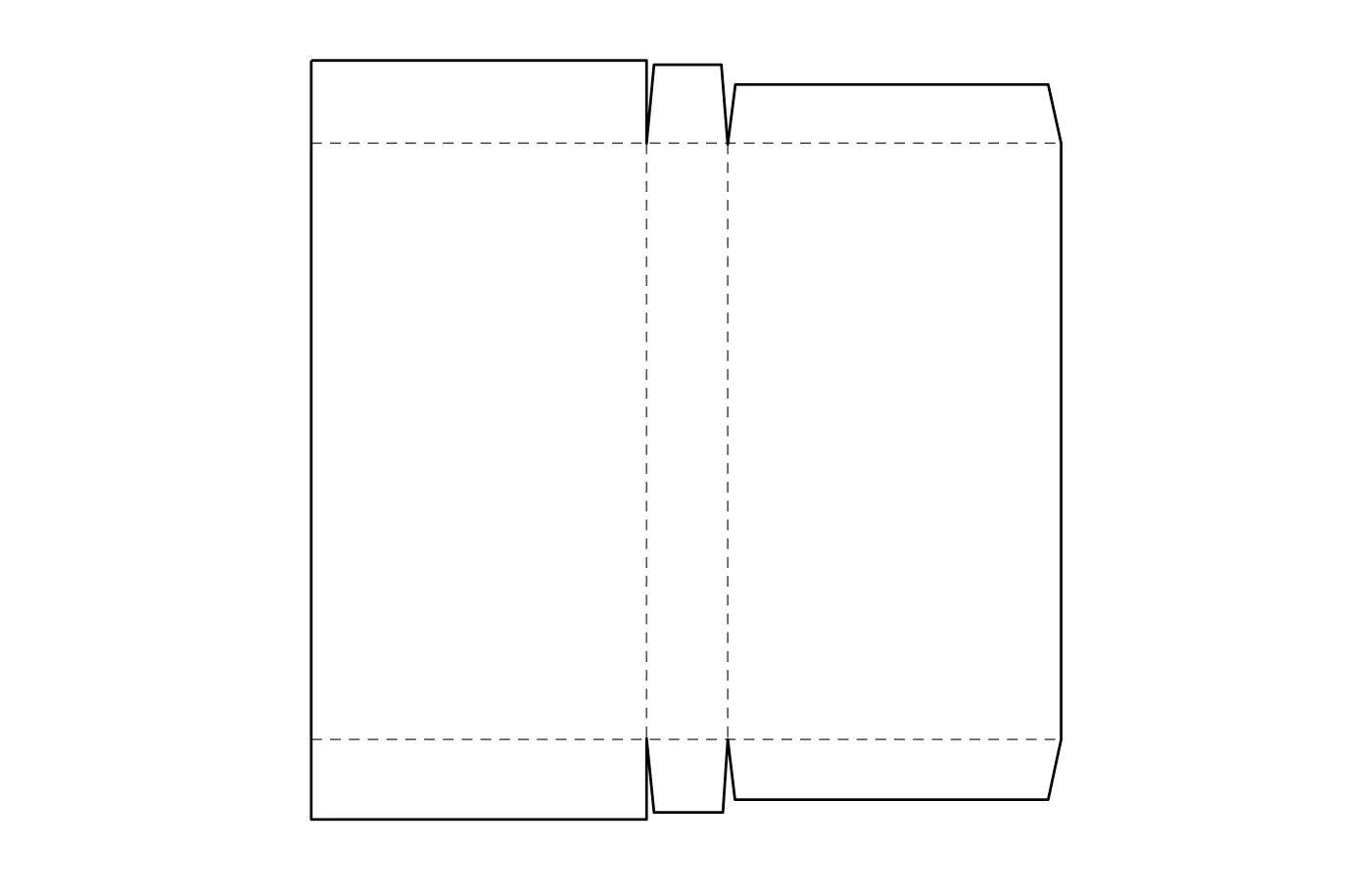
Print at 100% (actual size), never "fit to page". Printing guide